Knock the right doors. Every door lands in the CRM.
Canvassing is where SkyCanvass started, and it is the reason for the name. The app is part of the CRM, so the doors your team knocks and the jobs they turn into sit on one system. Managers lay out territories, canvassers work the addresses a storm actually hit, and nothing gets re-typed at the end of the day.
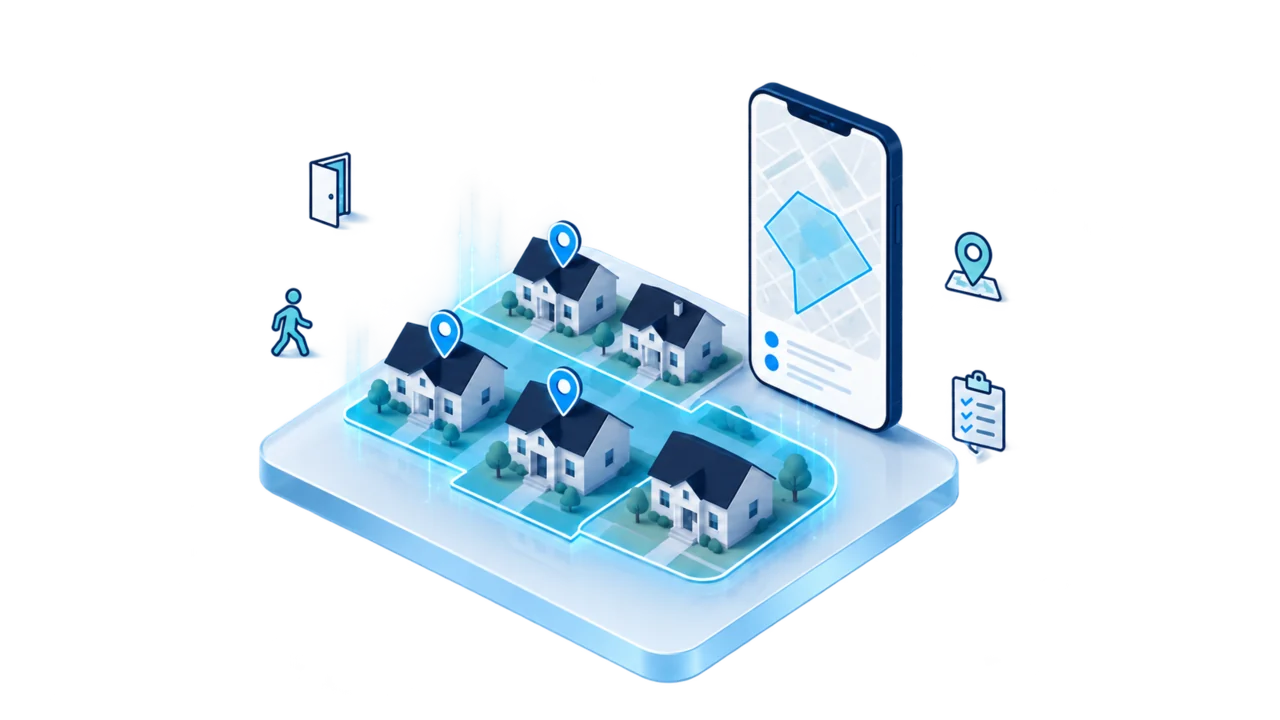
The canvassing app comes with the CRM.
Adding someone to the CRM is what puts canvassing on their phone. They sign in with the login they already have, and what they work in the field is your live customer and job data rather than a copy of it.
One system, not two
The doors your team knocks and the jobs they turn into live in the same place. Nothing is exported, re-typed, or reconciled at the end of the day.
It is why we are called SkyCanvass
Canvassing is the work this company was built around. It is not a feature bolted on from somewhere else, it is the front door of the whole system.
Already in the price
Canvassing is not a separate line on your invoice, and there is no add-on fee to switch it on. What your company pays for the CRM is on the pricing page.
Canvassers work in the field on the same job files your office has open, because it is one system and not two that somebody has to keep in step.
Search an area. Work its real boundary.
A manager searches a city, a county, a ZIP, or a neighborhood and the app highlights that area's real boundary. Name it, pick who is working it, and the doors split evenly by geography so every canvasser gets their own walking order.
The real boundary, not a circle
Search a city, county, ZIP, or neighborhood and the app highlights its actual boundary on the map.
Or draw it by hand
When the area a manager wants does not match a line on a map, they draw the shape themselves on the hail map.
Name it and assign it
Give the territory a name, pick the canvassers working it, and it is on the board for the team.
The doors split evenly
Doors divide evenly across the assigned canvassers by geography, so each one gets their own walking order instead of everybody picking out of one shared list.
Progress per territory
Every territory shows who owns it and how many doors are knocked out of the total.
The team's day in one view
See who is out, which territory they are on, and how many doors they have done.
Start where the storm actually hit.
Pick a storm and the app ranks the neighborhoods it hit hardest, then ranks the addresses inside them by the hail that was actually measured over them. Biggest hail first, all the way down to the door.
Pick the storm
Choose the storm and the app ranks the neighborhoods it hit hardest, so nobody starts the week guessing which side of town to work.
Ranked down to the address
Inside a neighborhood, addresses come back ranked by the hail measured over them, biggest first.
Nearby doors nobody has knocked
A canvasser in the field sees storm-hit doors near them that no one on the team has knocked yet, biggest hail first.
Worth working before it is assigned
Even before a manager assigns an area, canvassers can see which neighborhoods are worth working (the way delivery apps like GrubHub or Uber Eats show drivers where the busy zones are).
Measured, not guessed
The app shows the hail size that was measured over an address by weather radar, and the date it fell. Facts, not opinions.
It does not overstate anything
Older homes might have sustained damage, and an older shingle takes hail worse than a newer one, but that is a conversation at the door and not a verdict from the app. One of the door outcomes is literally 'Possible storm damage'.
Draw a shape. Get every address inside it.
On the hail map, draw a shape around a neighborhood and push every address inside it into the canvassing list, up to 5,000 at a time.
Draw it on the hail map
Circle the blocks you want on the same map that shows where the hail fell.
Up to 5,000 addresses at once
Every address inside the shape goes into the canvassing list in one pass, up to five thousand of them.
Straight into the walking order
The list is ready to name, assign, and split, so nobody builds it by hand out of a spreadsheet.
Every door turns into something your team can work.
Canvassers log the door on their phone with the outcome that actually happened. When it is a good one, the CRM picks it up without anybody re-typing it.
Real outcomes, not a tally
Spoke with homeowner, not home, come back later, possible storm damage, appointment set. Your canvasser marks what happened.
The lead creates itself
Book an inspection or sign a contract at the door and the lead is created in the CRM from that door.
Inspections land in a queue
An inspection set at the door goes into a queue the team works from, so it is scheduled instead of remembered.
Live session stats
While a canvasser is out, the app counts doors knocked, inspections set, and contracts signed.
The same record the office works
The door your canvasser knocked and the customer file your office opens are the same record, because canvassing is part of the CRM.
Nothing to re-type at night
The door was logged where it happened, so nobody rebuilds the day from memory or off a legal pad at eight o'clock.
Every one of those outcomes is picked by the canvasser at the door. The app reports the hail that was measured over the address. It does not decide what is on the roof.
It runs on the phone in your canvasser's pocket.
Canvassing is field work, so the app is built for the phone and it keeps working when the signal does not.
Built for the field
Canvassers work their list, log doors, and set inspections from their phone. No laptop in the truck.
It keeps working with no signal
A door logged where there is no service is held on the phone and syncs when the signal comes back.
The office sees it as it lands
Territory progress and the day's totals fill in as the doors come back in.
When a dangerous tropical system is active, the app says so.
If a dangerous tropical system is moving on the area your team is working, the app posts a storm safety notice and suggests pausing door-to-door work for about 48 hours.
It is advice, not a lock. Your company decides whether people go out. The notice is there so that call gets made on purpose, with the same information in front of everybody, instead of in a group text at six in the morning.
Canvassing comes with the CRM.
One system for the doors your team knocks and the jobs they turn into, for everyone your company puts in the field.